Application Initialization is potentially one of the trickiest parts of developing on the Force.com platform. How do you get basic data into your app without burdening your customers? How do you help your customers select the right data for them? How do you make sure the basic custom settings are in place to maximize your app's potential?
The good news is that there are simple solutions and established patterns than make this process easy. Today I'm going to look at two of them. The first I'll call Local Initialization, the second, Remote Initialization. I will refer to existing Force.com Labs apps as illustrations so you can see how you can use these patterns with your own development.
Local Initialization
Local initialization derives its name from the source of your initialization data. In this case, the data is "local" to your org. For this example, we'll take a look at Milestones PM, the lightweight task and project manager for the Force.com platform.
Milestones PM is free and open source. You can find it both on the AppExchange and on GitHub.
When you install Milestones, you add a document folder call "Milestones PM Folder" and a document entitled "Starter Project (LPM1)". Once you have installed and deployed the app, your default tab is simply called "Getting Started" and it includes just a few notes and then big button with the label, "Click here to initialize this app."
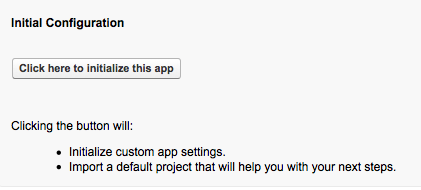 When you click the button, a few things happen.
- The system validates that it hasn't already been configured.
- It imports a basic project from the document included as part of the install.
- It adjusts the data that it imported to be more relevent (inserts proper dates, etc).
- Creates basic custom settings.
This pattern absolutely requires data import routines. Milestones PM uses the Import Project Controller and the XML Import Utility. Once you have the data import routines you'll probably also want to have export routines to build the document. The pair make a very handy feature for many apps but also create some risks around data volume. For example, the on board XML readers have a limit to the size of file they can process and platform governors control the number of DML statements you can execute, etc. You'll need to be aware of and handle these.
Like all patterns, local initialization has advantages and disadvantages. The key advantage is that everything your customer needs is in a single, handy package. This of course results in disadvantages when your base data needs to change, as you may not be able to push that change out to existing users (although you should be able to with managed apps).
A nice side effect of this pattern is that it is now theoretically possible for Milestones PM users to export and share their project plans with other Milestones PM users, all without anyone from Force.com Labs having to get in the middle.
Remote Initialization
It doesn't always make sense to package your initialization data with your app, and that's where Remote Initialization comes in. Remote initialization fetches data from someplace outside of your Force.com org using a technology like HTTP. For this pattern, we'll take a look at Brackets, a tournament prediction game from Force.com Labs.
Brackets is free and open source. You can find it both on the AppExchange and on Github.
You might also enjoy this architectural overview of Brackets.
Remote initialization follows the same basic pattern as local initialization:
- Default post install screen is "Admins Get Started Here".
- Screen presents a big button which says "Click Here".
- When the user clicks, the apps fetches it's initial data via HTTP.
- Once fetched, it imports that data and configures initial settings.
This setup requires the same data import and export management as Local Initialization above. You can find it in BracketsProcessUpdate, BracketsImportTournament and a couple of other utility classes. It also requires some knowledge of where the initial data might be hosted. For Brackets, we created a separate site and packaged those remote site settings with the app. Actually fetching the source XML is then trivial.

One key difference between the Local Initialization and Remote Initialization implementations is the concept of updatability. Milestones PM projects, once installed, can never be updated by the initialization source. However, Brackets absolutely required this. This means that the core objects Brackets uses to keep track of its source data are remote initialization source ID aware. This simply means that each local object keeps track of it's original remote ID in an external ID field. When an update is ready, the update routine uses an upsert to change the data in your local org.
The great advantage of this method is that you are not required to include any data with your installable package. This is very convenient for initialization information that changes frequently. However, a disadvantage is that you have now potentially introduced a new security management requirement on your app with regard to who can access the initialization information. The sample code above ignores this altogether, but you can find interesting examples in the docs on how you might add this for your app.
A Third, Unpleasant Option
Your third alternative to these options is manual configuration. It's certainly possible, but overall I don't recommend it unless you have very limited initialization requirements. Having a quality, easy to understand process is a key component of your "out of the box experience". Additionally, when you rely on error prone humans (yes, even me!) to do your data entry, you are very likely introducing data defects into your app at an early stage.
Finally, Some Notes
In both of these example, I've used XML. You could certainly use JSON as well.
In the Brackets implementation, the original data source URL is hardcoded into the Getting Started Controller. I don't recommend this, but I don't have a good alternative yet. I'd like to eventually see an additional level of abstraction, where source URL's are listed and Brackets has access to that list. The users here would still either have to add Remote Sites to the security list or the system would have to know about them and package them, which is pretty much the same as hardcoding. If you have an idea, I'd love to hear it.
I didn't feel Salesforce to Salesforce was a good solution for this particular problem, primarily because it's focused on a much broader use case and requires unreversible modifications to your org in order to use it.
I've had a few people as me about using the standard Visualforce "apex:page" tag and action="doSomething" attribute. I've stayed away from this in these apps as the docs clearly state this particular action should not be used for initialization.